
If your SEO automation software saves time but still produces inconsistent content, slow indexing, or constant manual cleanup, the real problem is not the tool – it is the workflow.
Most teams automate isolated tasks instead of the full content pipeline. They auto-generate briefs or drafts, but still copy paste into the CMS, chase editors, fix on-page issues by hand, and wait weeks for pages to index. That mix creates bottlenecks, quality issues, and missed ranking opportunities.
You need a pipeline, not a pile of disconnected tools.
This guide shows how to build a repeatable automated SEO content pipeline with five proven strategies:
- Set clear input rules
- Build quality gates
- Automate CMS publishing
- Speed up indexing
- Close the loop with performance feedback
It is built for teams that already understand SEO basics and now need a practical system to use SEO automation tools more effectively at scale.
Quick Summary: The article argues that SEO automation software only works well when it supports a full, repeatable content pipeline instead of disconnected tasks that create bottlenecks, inconsistent quality, and slow indexing. It lays out five strategies: define the workflow and automation rules first, add strict quality gates for content/metadata/links, automate CMS publishing and internal linking with human approval, speed up indexing with IndexNow and tracking, and maintain a single weekly operating cadence. A key nuance is that not every step should be automated-high-risk or low-confidence outputs still need human review, and the system should be scaled only after it proves stable over several weeks.
Design the automation blueprint before you touch the tools
Stop thinking about tools for a second. Your first job is to design the system. If you skip this, even the best AI SEO software will just speed up your chaos.
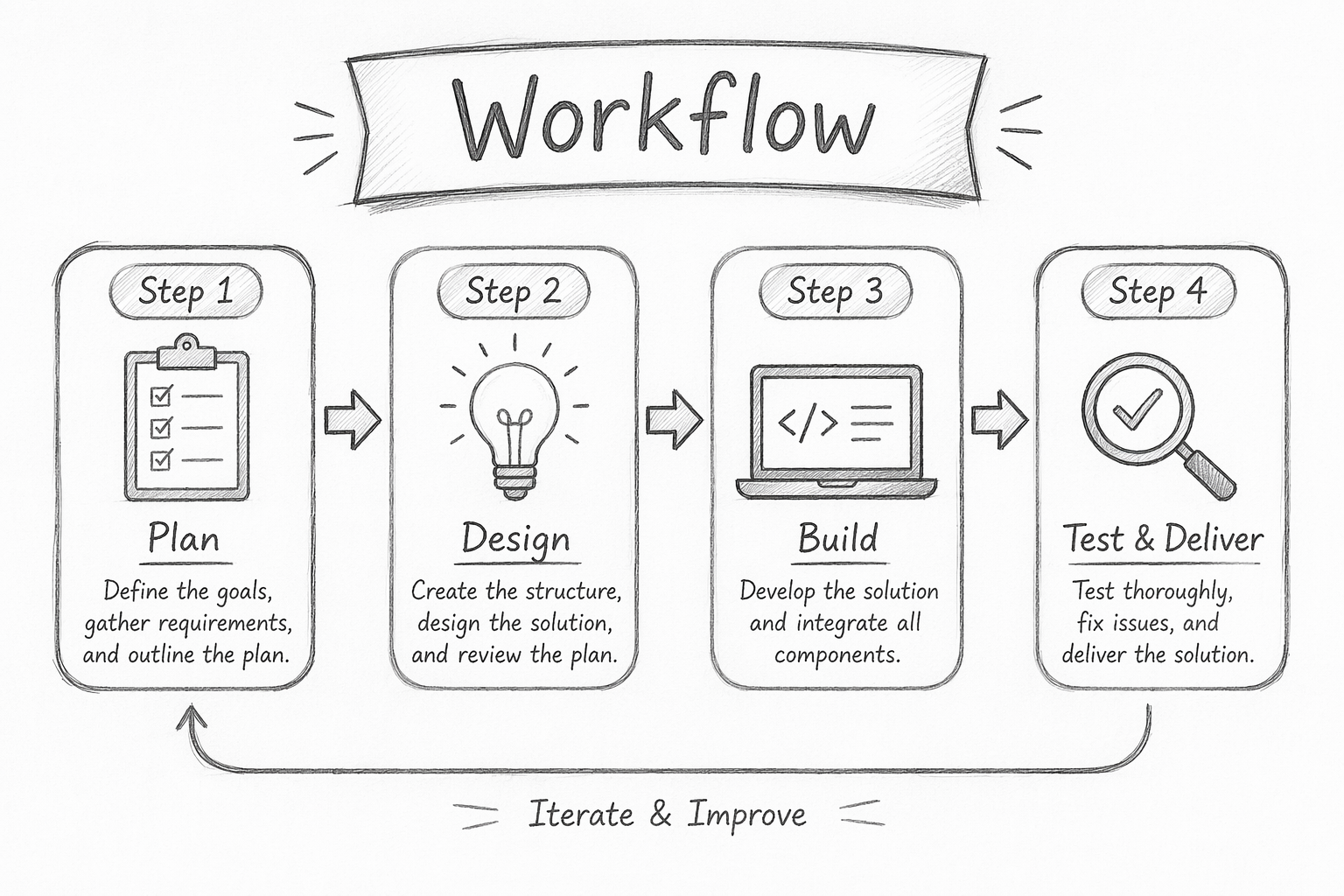
1. Map the workflow from keyword to published page
Grab a whiteboard or doc and write out every step from idea to live URL.
Typical pipeline:
- Keyword research
- Topic selection and brief
- Draft creation
- SEO optimization
- Review and approvals
- CMS formatting
- Publish and index
- Performance tracking and updates
For each step, note:
- Who does it now
- How long it takes
- What tools are used
- Where handoffs get stuck
You are looking for bottlenecks and repeatable patterns. That is your automation gold.
2. Set rules for what can and cannot be automated
Do not let tools decide this for you. You set the rules.
Create three buckets:
- Fully automated: rank tracking, basic on-page checks, sitemap updates, IndexNow pings.
- Automation with human gate: AI drafts, internal link suggestions, schema templates.
- Human only: strategy, final editorial sign-off, sensitive topics.
Document your rules so you do not wake up one day with 50 off-brand posts live because a switch was left on.
If a task is high risk and hard to reverse, keep a human in the loop.
3. Choose the success metrics that matter
You are not automating for fun. You are buying outcomes.
Pick a small set of metrics:
- Operational: time from brief to publish, number of QA errors per article.
- SEO: percentage of new pages indexed in 48 hours, ranking gains for target clusters.
- Business: organic conversions, assisted revenue, demo signups.
Set a baseline now. After you hook up tools you can prove whether your pipeline actually works, not just feels faster.
Also Read: 5 Best SEO Automation Software to Streamline Your Workflow
Build quality gates that protect SEO performance
If you automate SEO without guardrails, you do not have a workflow. You have a slot machine. Quality gates fix that. They catch bad pages before they go live, so rankings and trust do not quietly decay over time.
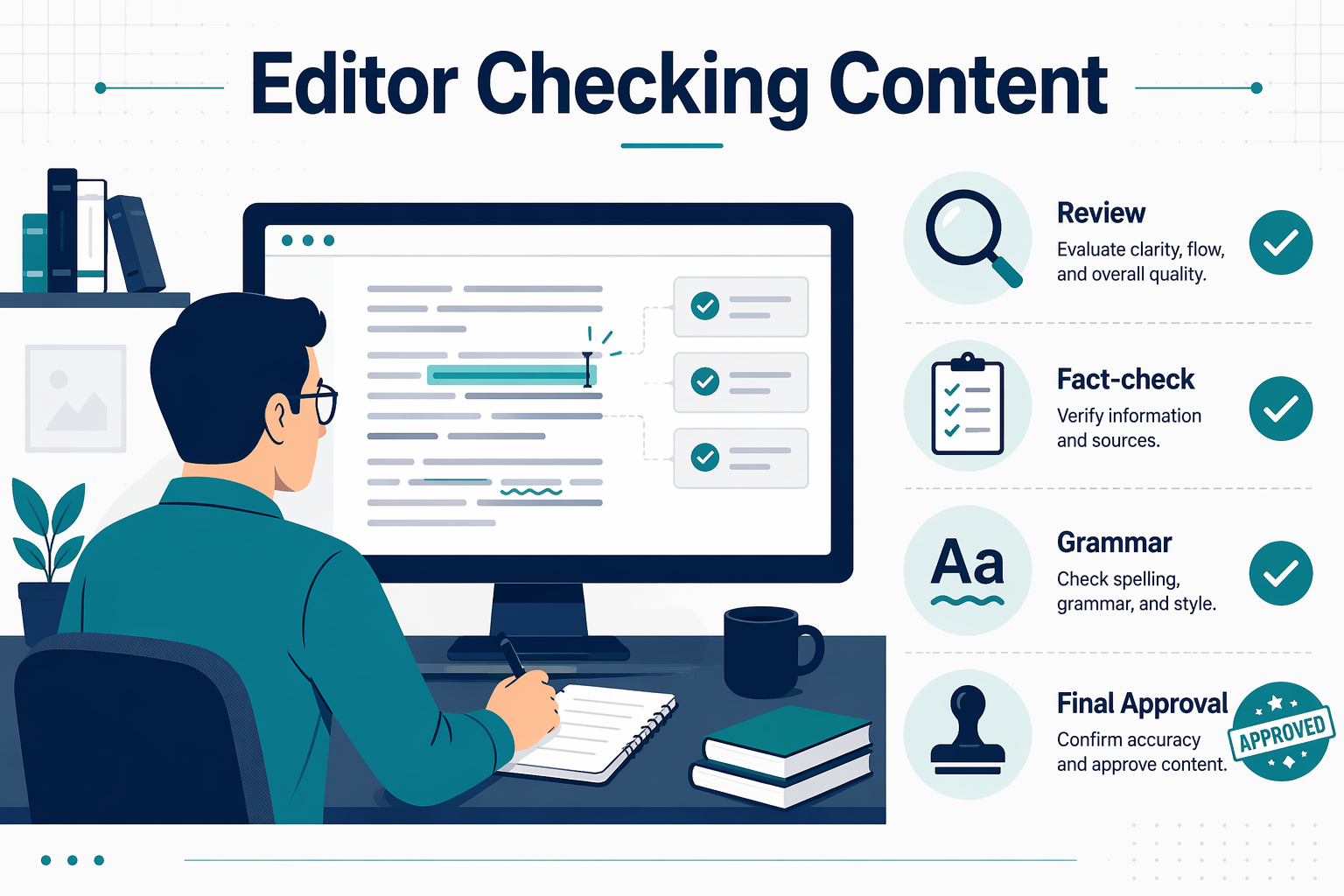
1. Create pre-publish checks for content, metadata, and links
Treat pre-publish checks like a safety inspection. Nothing ships until it passes.
At minimum, gate your pipeline on:
-
Content checks
- Clear search intent match
- Unique angle, not a remix of another URL
- Helpful subheads and scannable structure
- No hallucinated stats or vague promises
-
Metadata checks
- Unique title and meta description
- Primary keyword in title, H1, and first paragraph
- Correct canonical URL and index status
-
Link checks
- At least one link to your pillar page (for example, your complete guide to SEO automation)
- 2 to 4 relevant internal links to related cluster posts
- No broken or redirected internal links
Make this a checklist inside your CMS workflow, not a suggestion that people can skip under pressure.
Research on programmatic SEO QA shows that structured pre-publish gates cut critical errors by over 90 percent, even at scale, according to seotakeoff.com.
2. Use brand and originality guardrails
You cannot let automation slowly sand off your brand voice.
Set explicit rules:
- Approved tone of voice with examples
- Phrases and claims you never use
- Requirements for brand stories, product mentions, or POV in key content types
Run every draft through:
- A plagiarism / similarity scan
- An originality check: “Does this say anything a competitor has not already said?”
A simple editorial QA scorecard based on helpful content guidelines, like the one outlined on searchroost.com, keeps those rules enforceable.
Best AI SEO Tools helps here because you can pick AI SEO tools that support custom style guides and plagiarism checks, instead of bolting them on later.
3. Build exception handling for low-confidence outputs
Not every AI draft deserves to ship, even if it passes basic checks.
Set thresholds:
- Green: High quality – auto-move to light human edit
- Yellow: Mixed quality – send to full editorial review
- Red: Weak, off-intent, or generic – auto-reject and regenerate
Flag “yellow” and “red” pages in your workflow so editors know they are dealing with risk, not routine. That one move saves your site from a long tail of low-quality URLs that slowly drag performance down.
Also Read: How to Automate SEO Tasks Using Top Automation Software
Automate CMS publishing and internal linking without losing control
You want automation to do the grunt work, not make a mess you have to clean up. That means clear rules, tight templates, and human checkpoints baked into the pipeline.
1. Standardize CMS fields and content templates
Start by locking in a standard template per content type: blog, feature page, comparison, FAQ.
At minimum, define:
- Title and H1
- Slug
- Meta description
- Canonical URL
- Primary topic / cluster
- Internal link block
- Schema type (Article, FAQ, HowTo, etc.)
Use your SEO automation software to map these fields 1:1 into your CMS so no draft skips a required SEO element.
If a field is not in the template, it will not exist in production. Be ruthless here.
Pull tools from a directory like Best AI SEO Tools to find platforms that support field mapping and schema injection directly into WordPress, Webflow, or headless CMSs.
2. Automate internal link suggestions with human approval
Let the machine suggest links, but never let it publish them blindly.
Set up a workflow where your SEO automation tool:
- Crawls your site and cluster map
- Suggests 3 to 10 internal links per piece
- Flags target anchors and URLs
Then require editors to:
- Approve or reject each suggestion in the CMS editor
- Adjust anchor text to sound natural
- Add 1 to 2 strategic links the tool missed
This keeps your internal mesh tight without turning pages into spammy link farms.
3. Schedule publication and update tasks consistently
Do not rely on “whenever someone remembers” to hit publish.
Instead:
- Use CMS scheduling for new posts by cluster and time zone
- Batch updates (refreshes, link fixes, schema tweaks) into weekly sprints
- Tie automation to clear states: Ready for review, Approved, Scheduled, Published
Your SEO automation software should push drafts into staging, wait for human sign off, then publish on a set cadence. You keep control of what goes live and when, while the system handles all the boring parts.
Speed up indexing with IndexNow and feedback loops
You can have the best SEO automation in the world, but if pages sit unindexed, it’s wasted effort. Fix that with IndexNow plus a tight feedback loop.
1. Trigger indexing requests when content goes live
Wire your SEO automation software so every published or updated URL fires an IndexNow call instantly.
Use CMS events like:
- WordPress: publish / update hooks or plugins that auto-submit
- Headless CMS: webhooks that trigger a small IndexNow worker
- Static sites: CI/CD step that submits all changed URLs on deploy
IndexNow lets you notify Bing and other engines right away, often cutting discovery time from days to hours, as explained in guides like trysight.ai.
Batch URLs when you deploy many pages at once. Aim for:
- Real time for single posts
- Small batches (up to a few hundred) for bulk pushes

Rule of thumb: publish = submit. Nobody should have to remember manual pings.
2. Track indexing status and early performance signals
Do not guess. Track what actually got indexed and how fast.
Use:
- Bing Webmaster Tools URL inspection for discovery + index status
- Log timestamps for: publish, IndexNow submit, first index seen
Pair that with:
- Early clicks and impressions
- Average position in the first 7 days
Research on index speed from sources like ahrefs.com shows faster discovery compounds into more traffic over time.
Build a simple table inside your reporting:
| URL type | Time to index | 7‑day clicks | IndexNow submitted |
|---|---|---|---|
| New blog post | 4 hours | 35 | Yes |
| Updated guide | 9 hours | 52 | Yes |
| Old page | 3 days | 4 | No |
Patterns here tell you which content benefits most from aggressive indexing automation.
3. Close the loop with rules that improve future automation
Turn those insights into rules your system actually follows. For example:
- If a URL is not indexed in 48 hours, resubmit via IndexNow
- If 3 resubmits fail, flag for human review
- If a content type always indexes slowly, tighten internal linking and schema for that template
- If thin pages never index, downgrade their priority in your automated pipeline
Over time, your SEO automation does not just publish faster. It learns which URLs deserve the strongest indexing push and adjusts without you babysitting it.
Also Read: Reviewing SEMrush’s SEO Automation Software Features in 2026
Use one operating cadence to keep the system reliable
Multiple cadences kill automation. One simple rhythm keeps your SEO engine sane and predictable.
1. Run weekly checks on quality, indexing, and outputs
Set a fixed weekly slot. Same day, same time.
Every week, review three things:
- Quality: Spot check a few new AI assisted articles. Look for vague claims, thin sections, and broken internal links.
- Indexing: Use Google Search Console to confirm new URLs are discovered and check for coverage errors, taking cues from support.google.com.
- Outputs: Check how many pieces moved from idea to published. If quality dipped while volume rose, you already know the problem.
Keep this to 30 to 45 minutes. You are not rewriting pages here. You are checking if the system is holding up.
2. Scale only after the workflow is stable
Do not crank up volume until:
- Content clears QA with minor edits
- Indexing is consistent
- No one is fighting the process
Once the flow feels “boring” for 3 to 4 weeks, then increase output by 25 to 50 percent. If errors spike, roll back. Stability first, speed second, like the automation patterns described on iriscale.com.
3. Document your automation playbook
Write down:
- Steps from keyword to publish
- Tools used at each step
- Who owns which decision
- What counts as “ready to ship”
This turns your workflow into an operating system, not a memory test. New hires ramp faster, and you can plug in new AI SEO tools from a directory like Best AI SEO Tools without breaking everything.
Review your current workflow, identify the weakest step, and link this process into your broader SEO automation strategy via the parent pillar page.
Then head to Best AI SEO Tools, pick the right SEO automation tools for that bottleneck, map them into your CMS and monitoring stack, and start testing today.
Frequently Asked Questions
Q1: How do I stop SEO automation from publishing low quality content?
Set hard quality gates before anything hits your CMS. Use checks for search intent match, internal links, factual accuracy, and brand voice. Keep a short manual review for high value pages. Start with a small batch, review results, then widen scope once you trust the rules and workflows.
Q2: What tools do I actually need to start SEO automation?
Begin with 4 things: keyword research, content generation, CMS workflow automation, and rank tracking. You can use SEMrush or Ahrefs for data, then pick AI tools from a directory like Best AI SEO Tools. Connect everything with your CMS so briefs, drafts, approvals, and publishing move in one clear pipeline.
Q3: How often should I review my automated SEO content pipeline?
Review weekly when you launch, then monthly once stable. Look at: time from idea to publish, QA error rate, indexing speed, and traffic per page. If those slip, tighten rules or add checks. Treat the pipeline like a product: keep a clear backlog of fixes and improvements.
Q4: What happens if I automate indexing but skip monitoring rankings?
You fly blind. IndexNow and sitemaps can speed indexing, but that is only half the job. You still need rank tracking to see if pages stick, drop, or never rank. Use alerts for big moves so you react fast with content tweaks, better internal links, or new supporting pages.
Conclusion
SEO automation only works long term when it powers a full pipeline, not random one-off tasks. Research on workflow automation shows that systems with clear stages and monitoring outperform ad hoc efforts, because teams can actually spot and fix failures early, not just go faster in the wrong direction nasa.gov. Industry data on AI and automation also shows the same pattern in marketing: teams see the biggest gains when they combine automation with clear guardrails and feedback loops instead of chasing flashy tools mckinsey.com.